
Many people want to create a GB WhatsApp group for their cricket team, old friends or business but don’t know how to create one. A group is useful to stay connected with family members, colleagues, neighbors or friends so what is the method of creating a group?
In this guide we’ll show you the step-by-step method to create a group on GB WhatsApp. To create a GB WhatsApp group: click on 3 dots in the top right corner, select “New Group,” add participants, enter group name, click on next button and you’re done. Let’s describe this method of creating a GB WhatsApp group in detail below.
Steps to create a GB WhatsApp group
Step 1: Open GB WhatsApp on your mobile for creating a group.
Step 2: Click on 3 dots that are placed in the top corner of GB WhatsApp and click on the new group option.
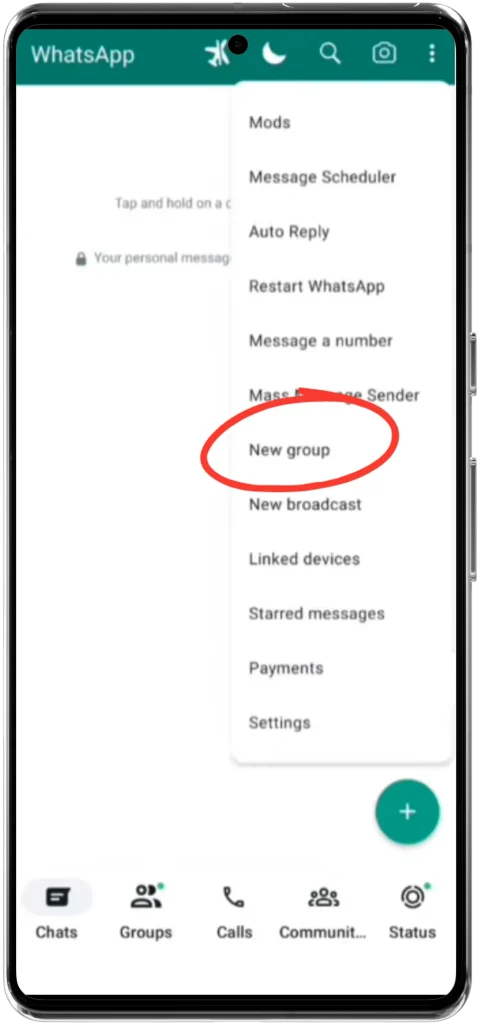
Step 3: After clicking on the new group option hold and select participants that you want to add in your group.
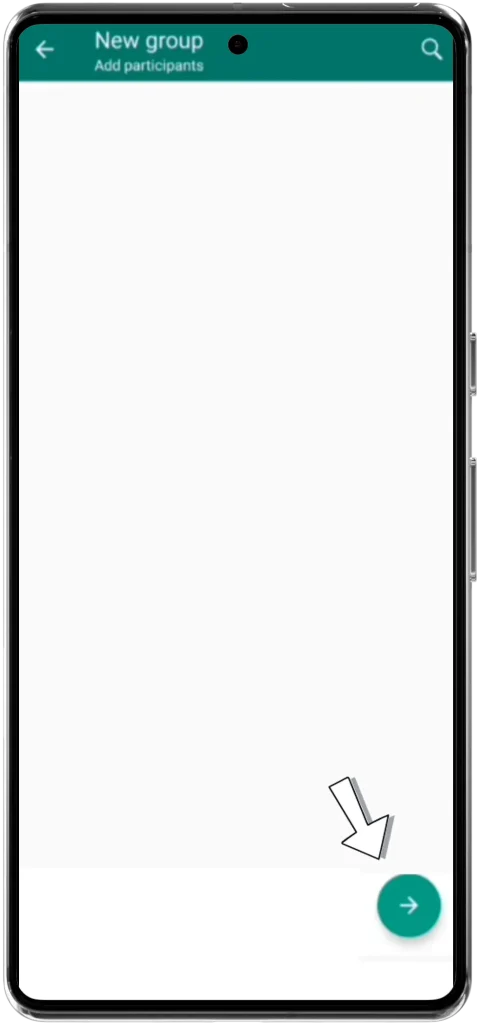
Step 4: Click (→) arrow option in the bottom right corner to proceed to the next section.
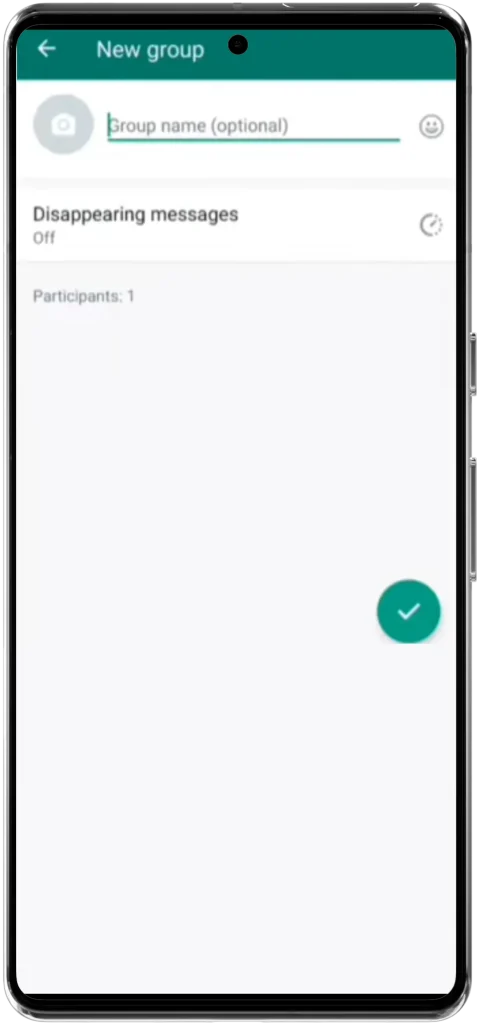
Step 5: Now enter the name of your group in the first input box where ‘Group Name (Optional)’ is written.
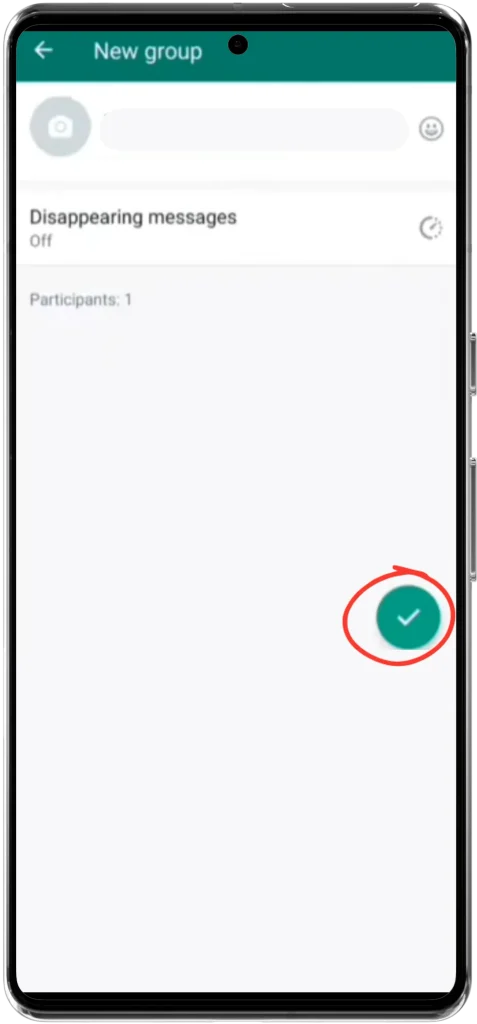
Step 6: After entering the name of your group click on (✓) option in the lower right corner to successfully create your group.
There are 3 steps through which you can set up a new GBWhatsApp group.
- Open GB WhatsApp
- Click 3 dots (⋮)
- Click New Group option
- Enter required details and upload profile picture
No! You can’t create a group without adding any of the contacts.
You can create up to 256 groups on GB WhatsApp.
This article was about the method of creating a GB WhatsApp group. If you’re facing any problem while creating a group leave a comment below.