
Many people are curious about changing the icon of GB WhatsApp to make it unique from other apps on their mobile home but they don’t know how to change it. GB WhatsApp provides users with 100+ different icons that you can select, so what is the procedure to change the default icon?
Well we came up with the procedure through which you can change GB WhatsApp icon without any hassle. To change icon, click 3 dots > GB Setting > Universal Settings > click choose your favorite launcher icon option > Select icon > Apply Now. Let’s dive into the step-by-step procedure below!
Steps to change icon of GB WhatsApp
There are some easy steps through which you can change the icon of GB WhatsApp.
Step 1: Open GB WhatsApp on your mobile phone to change its launcher icon.
Step 2: After opening GB WhatsApp click on 3 dots in the app header and then click the GB Setting option.
Step 3: Now click the universal settings option, scroll down and click on choose your favorite launcher icon option below.
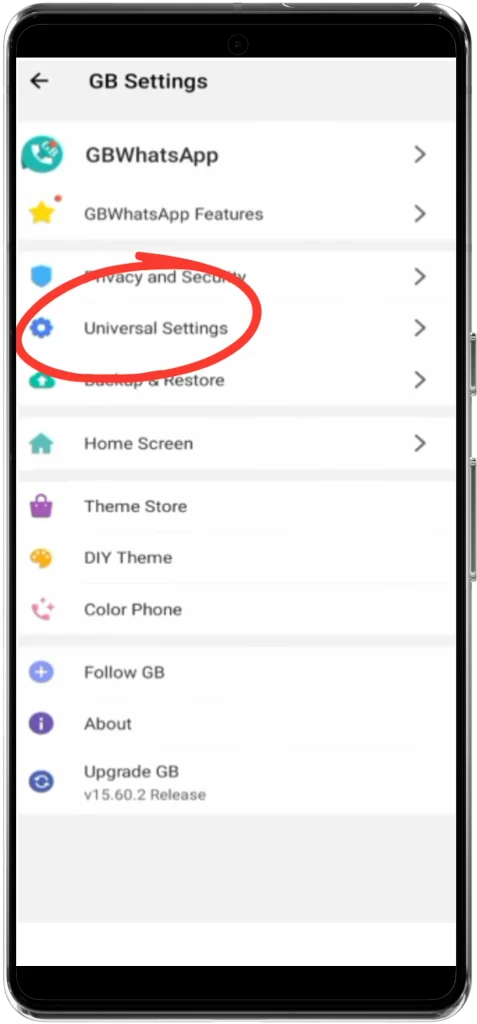
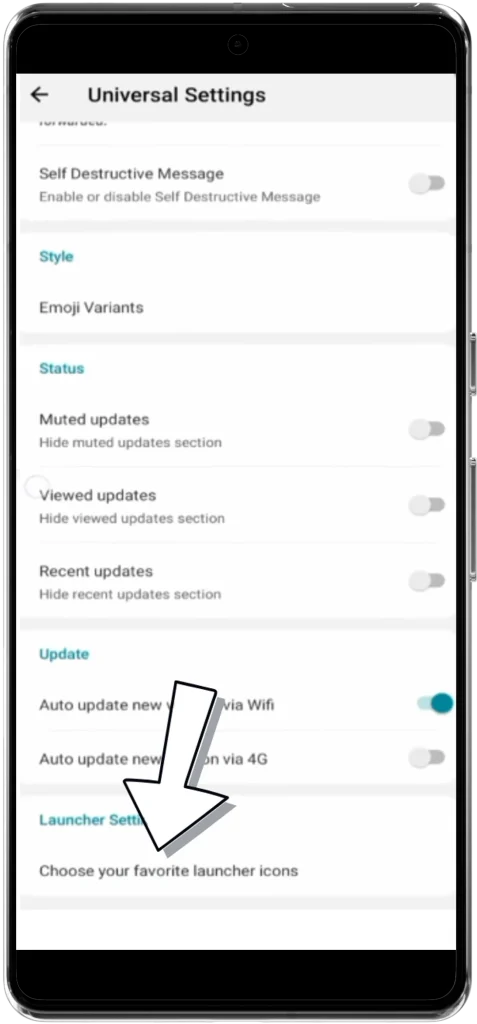
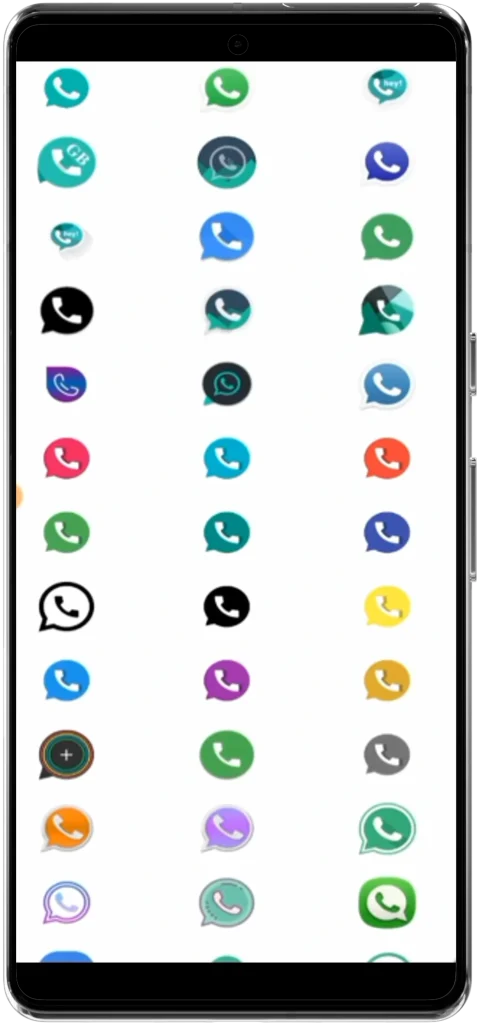
Step 4: As you’ll click on choose your favorite launcher icon option 100+ icons will be shown there. Select any of the launcher icon that you like and click on it.
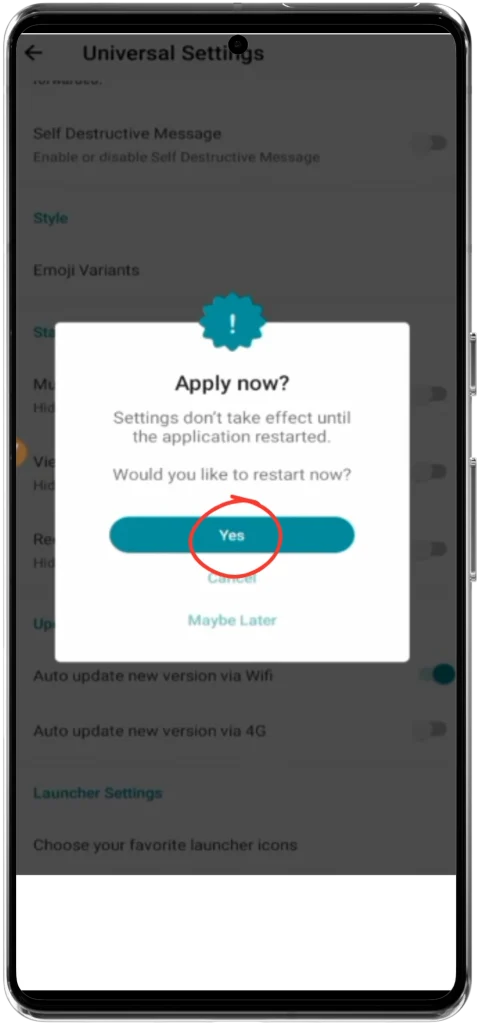
Step 5: It’ll ask you to confirm whether you want to change the launcher icon and restart GB WhatsApp. Simply click Yes and the icon of GB WhatsApp will be changed successfully.
No! You don't need a special app to change icon of GB WhatsApp. It includes variety of built-in icons that you can choose from.
No! Changing the icon of GB WhatsApp will not affect your chats or data as it just modifies the app appearance.
If the icon doesn't update after changing it, try restarting your phone or clearing the cache.
In this article we have described the procedure of changing icon in GB WhatsApp. Still if you’re facing difficulty in changing the icon of GB WhatsApp feel free to leave a comment below.